The complete guide to cyber security for beginners
Learn the basics of cyber security and protect your digital devices with this e-book. From virus protection to strong passwords, youll get tips and tools to protect yourself from online threats and keep your data safe.
Download guide

Protect Your Device: How to Avoid Shocks, Scratches, and Moisture in Everyday Life

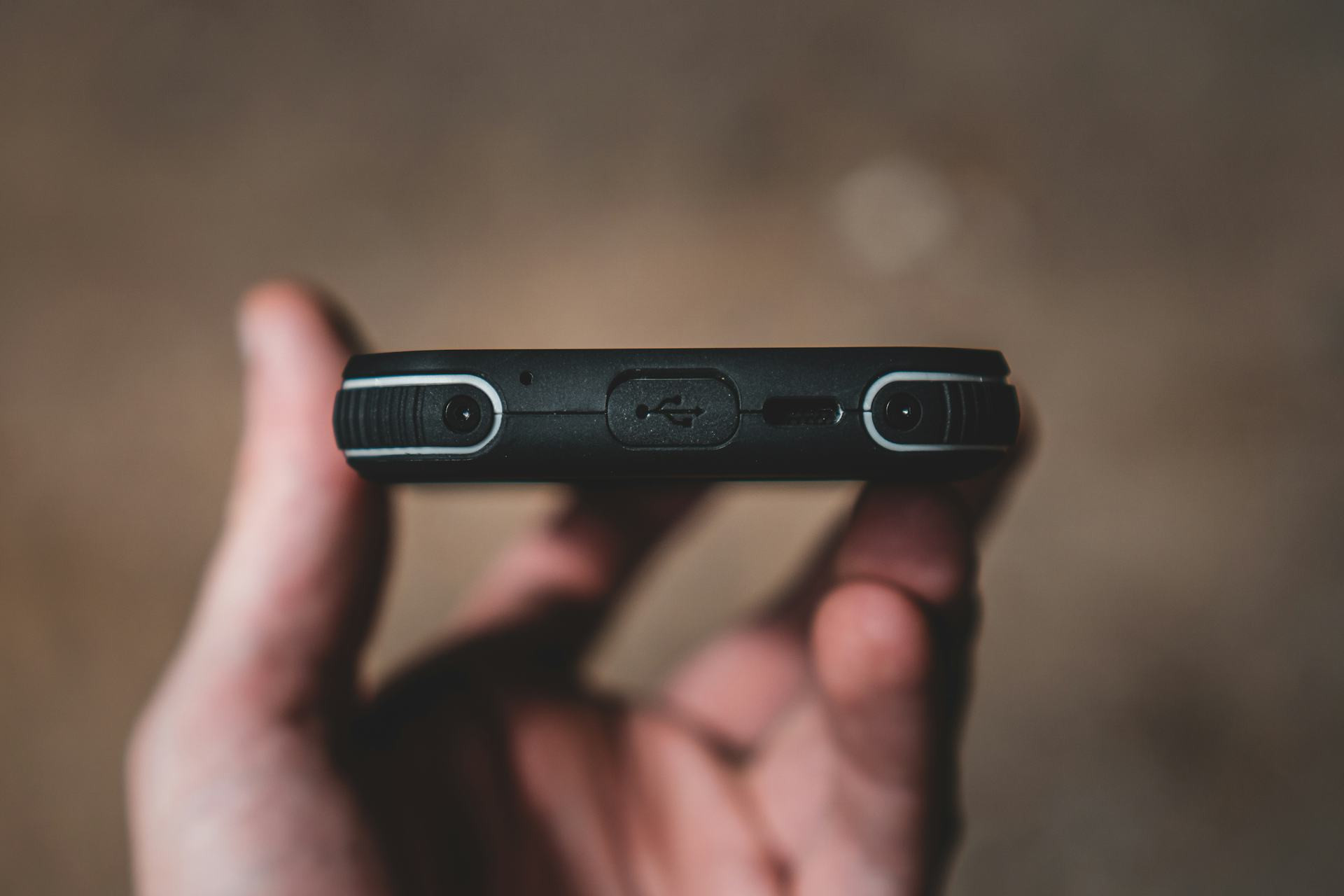
Keep your smartphone, tablet, and laptop safe from everyday accidents
Units
Units
3 min
Learn how to protect your favorite devices from drops, scratches, and moisture with simple habits and smart accessories. Discover practical tips to extend your tech’s lifespan and avoid costly repairs.
Maia Lopez
Maia
Lopez

Protect Your Device: How to Avoid Shocks, Scratches, and Moisture in Everyday Life

Keep your smartphone, tablet, and laptop safe from everyday accidents
Units
Units
3 min
Learn how to protect your favorite devices from drops, scratches, and moisture with simple habits and smart accessories. Discover practical tips to extend your tech’s lifespan and avoid costly repairs.
Maia Lopez
Maia
Lopez

Smartphones, tablets, and laptops have become essential parts of daily life—but they’re also fragile. A sudden drop, a spilled drink, or a rainy day can quickly lead to costly damage. Fortunately, with a few simple habits and the right accessories, you can protect your device from the most common hazards. Here’s how to keep your tech safe from shocks, scratches, and moisture in everyday life.

Shocks: When Accidents Happen

A fall from your pocket or desk is one of the most common causes of cracked screens and damaged casings. Even a small impact can harm internal components.

  • Use a sturdy case – Choose one that covers corners and edges, since those areas take the hardest hits. Silicone and TPU cases absorb shocks effectively.
  • Apply a screen protector – Tempered glass or plastic film can take the first impact and prevent cracks or scratches.
  • Be mindful of where you place your device – Avoid slick surfaces or edges where it could easily slide off.
  • Use a wrist strap or shoulder bag – If you often use your device on the go, a strap can prevent accidental drops.

A good case might seem like a small investment, but it’s far cheaper than replacing a screen—or an entire device.

Scratches: Small Damage That Adds Up

Scratches may seem minor, but they can affect both appearance and performance. On screens, they make it harder to see content clearly, and on camera lenses, they can reduce photo quality.

  • Store your device separately – Don’t keep it in the same pocket or bag compartment as keys, coins, or other hard objects.
  • Clean carefully – Use a microfiber cloth and avoid paper towels, which can scratch the surface.
  • Use a sleeve or protective pouch – Especially for tablets and laptops that travel in backpacks or briefcases.
  • Keep the screen clean – Dust and sand particles can act like sandpaper if you wipe them across the glass.

A scratch-free device not only looks better but also retains its resale value if you decide to upgrade later.

Moisture: The Hidden Enemy

Water and electronics don’t mix. Even small amounts of moisture can cause corrosion or short circuits. Many modern devices are water-resistant, but that doesn’t mean they’re waterproof.

  • Avoid humid environments – Don’t leave your phone in the bathroom while showering, and be cautious when using it in the rain.
  • Use waterproof cases or pouches – Perfect for beach trips, boating, or running in wet weather.
  • Dry your hands before use – Especially after washing or cooking.
  • If an accident happens – Turn off the device immediately, dry it gently, and place it in a dry area. Avoid using a hair dryer or oven, as heat can make the damage worse.

A simple waterproof pouch can be the difference between a working phone and an expensive repair.

Smart Everyday Habits

Protection isn’t just about accessories—it’s also about how you use your device. Small changes in your daily routine can make a big difference.

  • Keep your device out of direct sunlight – Heat can damage the battery and screen.
  • Handle cables and chargers with care – Don’t pull on cords or bend connectors.
  • Keep software up to date – Manufacturers often include features that help prevent overheating and battery wear.
  • Clean regularly – Use a soft brush to remove dust from ports and vents.

By combining good habits with the right gear, you can significantly extend your device’s lifespan.

A Small Effort with Big Rewards

Protecting your device isn’t just about avoiding repairs—it’s about getting the most out of the technology you already own. With a durable case, a reliable screen protector, and a little daily care, you can prevent most common types of damage and keep your device looking and working like new for years to come.

Protect Your Device: How to Avoid Shocks, Scratches, and Moisture in Everyday Life
Keep your smartphone, tablet, and laptop safe from everyday accidents
Units
Units
Device Protection
Tech Care
Everyday Tips
Gadgets
Maintenance
3 min
Learn how to protect your favorite devices from drops, scratches, and moisture with simple habits and smart accessories. Discover practical tips to extend your tech’s lifespan and avoid costly repairs.
Maia Lopez
Maia
Lopez
Talk About Digital Security – How to Make It Easy for Family and Friends to Understand
Make online safety simple and relatable for everyone you care about
Units
Units
Digital Security
Online Safety
Cyber Awareness
Family
Technology Education
7 min
Digital security doesn’t have to be complicated. Learn how to explain key online safety habits—like strong passwords, scam awareness, and two-factor authentication—in a way that’s easy for family and friends to understand and apply in everyday life.
Savannah Jones
Savannah
Jones
Use Your Voice as a Tool: Achieve a More Efficient Everyday Life with Voice Control and Digital Assistants
Discover how voice control and digital assistants can simplify your daily routines and boost productivity.
Units
Units
Voice Control
Digital Assistants
Smart Home
Productivity
Technology
7 min
From managing your schedule to controlling your smart home, voice technology is transforming the way we live and work. Learn how to make the most of digital assistants to save time, stay organized, and enjoy a more efficient everyday life.
Daisy Adams
Daisy
Adams
Find the Best Mobile Apps for Your Needs – A Guide to Smarter Choices
Discover how to choose the right apps that truly enhance your daily life
Units
Units
Mobile Apps
Productivity
Technology
Lifestyle
App Guide
6 min
With millions of mobile apps available, it can be hard to know which ones are worth your time. This guide helps you identify your needs and find the best apps for productivity, health, learning, and more—so your phone becomes a smarter tool for everyday living.
Autumn Diaz
Autumn
Diaz
Cleaning Electronics: How to Keep Your Devices Clean Without Damaging Them
Keep your gadgets spotless and functioning like new with safe cleaning methods
Units
Units
Electronics
Cleaning Tips
Device Care
Home Maintenance
Technology
5 min
Learn how to clean your electronic devices without causing damage. From screens and keyboards to earbuds and remotes, this guide shows you the right techniques and products to maintain hygiene and extend the life of your tech.
Alexander Jones
Alexander
Jones
Drones – get a complete overview of models and features
Experience new perspectives with modern drone technology for both leisure and home use
Technology
Technology
Drones
Smart home
Technology
Home
Gadgets
7 min
Get a complete overview of drones for both hobby and home use. The article reviews different types and features so you can find the model that best suits your needs and budget.
Maia Lopez
Maia
Lopez
Lenses for every photography enthusiast – see the selection and get inspired
Find the right lens for your creative visions and get more out of your camera
Technology
Technology
Photo equipment
Lenses
Camera
Photography
Technology
4 min
Explore a selection of lenses for all types of photography. Get an overview of different models, features and areas of use, and find inspiration to choose the lens that best suits your creative needs.
Savannah Jones
Savannah
Jones
Camera tripods – a practical overview for those who want to compare models
Get stable shots and flexible angles with the right tripod for your camera
Technology
Technology
Camera tripod
Photography equipment
Video recording
Photography
Technology
7 min
Camera tripods provide stability and control in your shots. Here you get an overview of different types, features and materials, so you can easily compare models and find the tripod that best suits your camera.
Daisy Adams
Daisy
Adams
Different instant cameras – from classic to modern design
Capture the moment with cameras that combine nostalgia and today’s technology
Technology
Technology
Instant camera
Photography
Gadgets
Retro
Everyday technology
2 min
Instant cameras combine retro charm with modern technology. In this article, you get an overview of different models and features, so you can find the camera that best suits your style and needs.
Autumn Diaz
Autumn
Diaz
Overview: Mobile phone holders for many purposes and needs
Make everyday life easier with the right holder for your smartphone
Technology
Technology
Mobile phone holder
Smartphone
Accessories
Gadgets
Everyday technology
5 min
Get an overview of different types of mobile phone holders for car, bike, office and home. The article provides insight into features and possible uses, so you can find the solution that best suits your everyday life.
Alexander Jones
Alexander
Jones
Overview of modems with different technologies and features
Find the right modem for your internet connection and your needs
Broadband
Broadband
Modem
Internet
Network
Technology
Connection
3 min
Get an overview of different types of modems and their features. The article reviews technologies such as DSL, cable, fibre and 5G, so you can find the modem that best suits your internet connection.
Maia Lopez
Maia
Lopez
Overview: Access points for different needs and network solutions
Get stable and fast wireless network throughout your home
Broadband
Broadband
Wi-Fi
Network
Access point
Smart home
Internet
7 min
Get control of your wireless network with the right access point. The article provides an overview of different types and functions, so you can find the solution that best suits your home and your needs.
Savannah Jones
Savannah
Jones